Página completa
Cópiala, cambiapk_… y sírvela por https o localhost.
<!doctype html>
<html lang="en">
<head>
<meta charset="UTF-8" />
<script>
window.TelepatiaRecorderConfig = {
apiKey: "pk_…", // publicable — nunca la sk_
branding: { name: "Your Brand" },
locale: "en",
};
</script>
<script src="https://cdn.telepatia.ai/telepatia-embed/v0/embed.js"></script>
</head>
<body>
<button id="record">🎙️ Record consultation</button>
<script>
document.getElementById("record").addEventListener("click", () => {
window.TelepatiaRecorder.init({
patient: { name: "Maria Gómez", idCountry: "CO", idType: "CC", idValue: "55544433" },
template: { medicalRecordConfigurationId: "mrc_…" },
consultation: { externalConsultationId: "CONSULT-12345" },
});
});
</script>
</body>
</html>
Cómo se ve

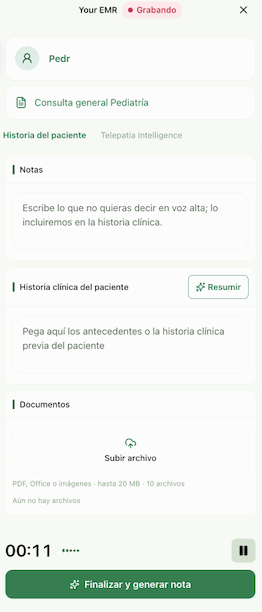
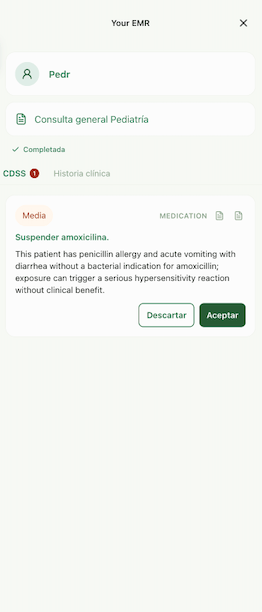
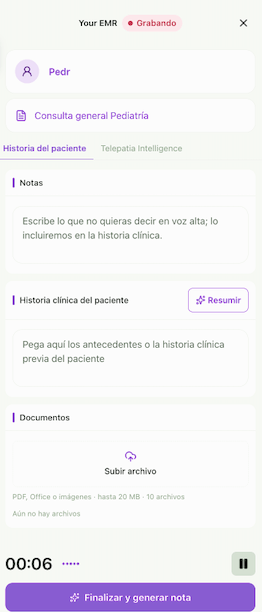
El panel del grabador, sobre una página de EMR del partner
Constrúyelo con IA
Pega esto en tu agente de código (Claude Code, Cursor, v0…). Lee el CDN y construye la página:Build a minimal Telepatia Embed integration on a static page.
1. Read the CDN to confirm the current bundle version:
- https://cdn.telepatia.ai/telepatia-embed/v0/embed.js
- https://cdn.telepatia.ai/telepatia-embed/update-manifest.json
2. Create index.html that:
- sets window.TelepatiaRecorderConfig = { apiKey: "<MY_PK>", locale: "en" }
BEFORE the embed <script src> tag;
- loads embed.js from the CDN (no async);
- has a "Record consultation" button that on click calls
window.TelepatiaRecorder.init() with the current consultation context:
init({
patient: { name, idCountry, idType, idValue },
template: { medicalRecordConfigurationId: "mrc_..." },
consultation: { externalConsultationId: "<your-encounter-id>" },
});
3. Never put a secret key (sk_) on the page — only the publishable one (pk_).
4. Serve it on a static server and tell me the command to open it.
My pk_: pk_… (test key to try, production key to go live — same code)