Full page
Copy it, swappk_…, and serve it over https or localhost.
<!doctype html>
<html lang="en">
<head>
<meta charset="UTF-8" />
<script>
window.TelepatiaRecorderConfig = {
apiKey: "pk_…", // publishable — never the sk_
branding: { name: "Your Brand" },
locale: "en",
};
</script>
<script src="https://cdn.telepatia.ai/telepatia-embed/v0/embed.js"></script>
</head>
<body>
<button id="record">🎙️ Record consultation</button>
<script>
document.getElementById("record").addEventListener("click", () => {
window.TelepatiaRecorder.init({
patient: { name: "Maria Gómez", idCountry: "CO", idType: "CC", idValue: "55544433" },
template: { medicalRecordConfigurationId: "mrc_…" },
consultation: { externalConsultationId: "CONSULT-12345" },
});
});
</script>
</body>
</html>
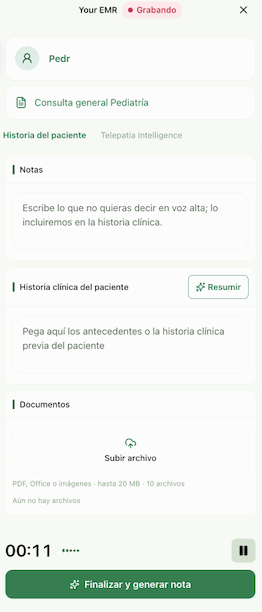
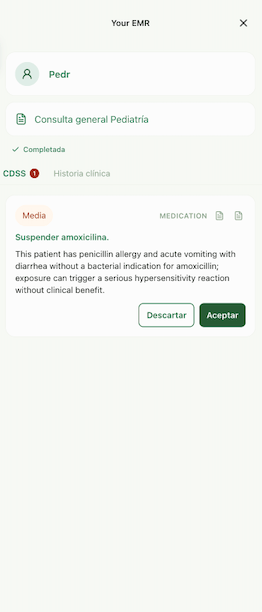
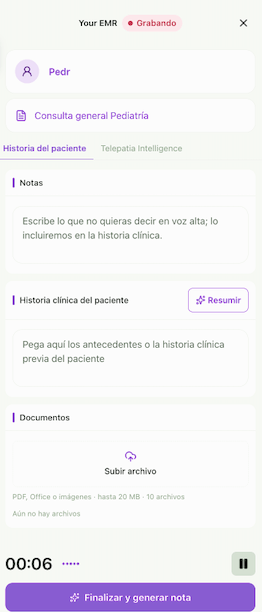
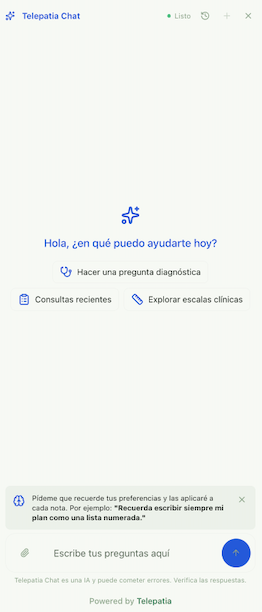
What it looks like

The recorder panel, mounted on a partner EMR page
Build it with AI
Paste this into your coding agent (Claude Code, Cursor, v0…). It reads the CDN and builds the page:Build a minimal Telepatia Embed integration on a static page.
1. Read the CDN to confirm the current bundle version:
- https://cdn.telepatia.ai/telepatia-embed/v0/embed.js
- https://cdn.telepatia.ai/telepatia-embed/update-manifest.json
2. Create index.html that:
- sets window.TelepatiaRecorderConfig = { apiKey: "<MY_PK>", locale: "en" }
BEFORE the embed <script src> tag;
- loads embed.js from the CDN (no async);
- has a "Record consultation" button that on click calls
window.TelepatiaRecorder.init() with the current consultation context:
init({
patient: { name, idCountry, idType, idValue },
template: { medicalRecordConfigurationId: "mrc_..." },
consultation: { externalConsultationId: "<your-encounter-id>" },
});
3. Never put a secret key (sk_) on the page — only the publishable one (pk_).
4. Serve it on a static server and tell me the command to open it.
My pk_: pk_… (test key to try, production key to go live — same code)